All the New Features Apple Didn’t Announce at WWDC
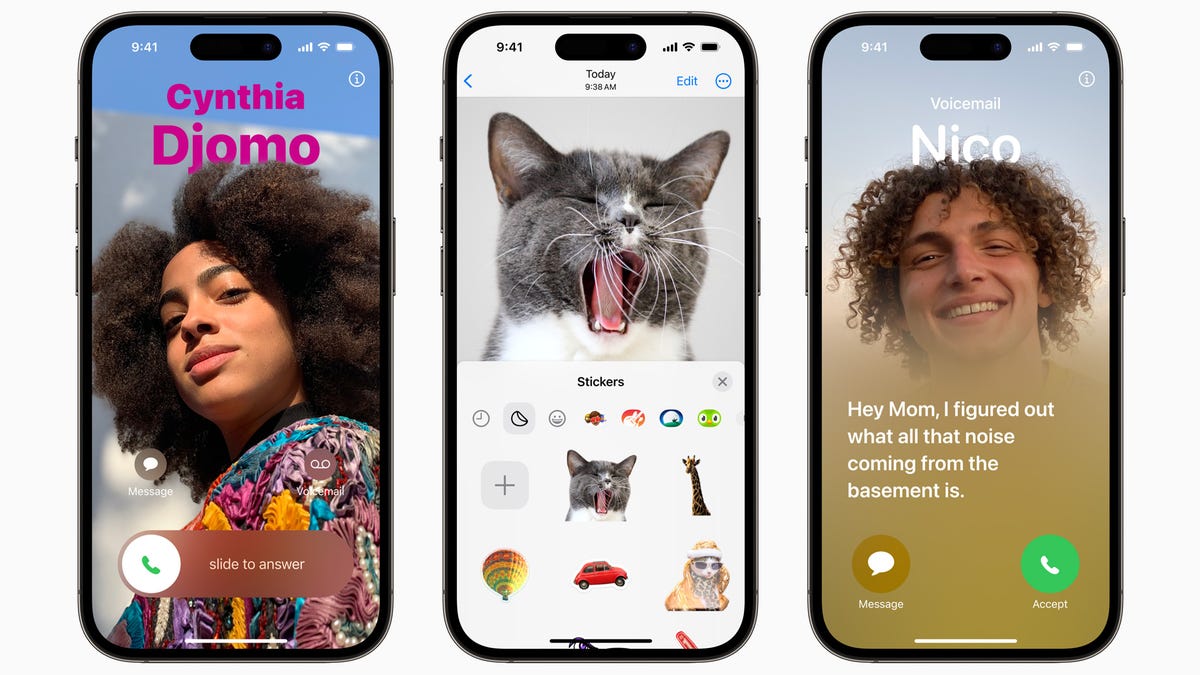
Apple’s WWDC keynote featured Mac product updates, a new “spatial computing” headset, and what appeared to be a hasty OS update section. But while Apple has talked about all the big new features, there are a lot of small and cool features coming to iPhone, iPad and Apple Watch this fall that Apple didn’t have time to talk about. However, we have time.
New features coming to iOS 17 and iPadOS 17
iPhone also gets interactive widgets
Apple has highlighted interactive widgets in the iPadOS section, but they’re coming to the iPhone as well. Finally, you’ll get clickable buttons in widgets that actually do something, not just open an app. This includes things like pausing music, checking your to-do list, and more.
New lock screen updates
Live wallpapers from iPadOS are also available on iPhone. If you’re using a Live Photo as your background, you’ll see its animation when you pick up your iPhone. And if you’re using a portrait photo, you can switch the background to a solid color with a swipe. Also, if you go to the font options, you will see a slider to increase or decrease the font weight for the clock.
Multiple timers are finally on the iPhone
The future is truly ours: iPhones (and iPads) can now run multiple timers at the same time. You can name them to keep track of what they’re for each time, and they even show up in a stack on the lock screen.
Settings toggles appear in Spotlight search
You can now toggle settings items directly from Spotlight search—no need to delve into settings just to temporarily turn off the always-on display.
Autocomplete check works on email
One Time Password AutoFill is one of the best features Apple has ever shipped, and it now works on email too. If you receive your login password via email, it will appear as a suggestion above your keyboard when you log into your account.
A related feature is this new toggle in Settings . It lets you automatically clean up used messages with a verification code for both SMS and email, so you don’t have to live with those one-time texts cluttering up your Messages app.
Big changes to the Podcasts app
Apple didn’t mention it at WWDC, but the Podcasts app is undergoing major changes. First, there’s a new interactive widget that lets you play and pause right from your home screen. The Up Next screen has also been redesigned. On the Now Playing screen, you can drag and drop episodes to change the queue. In the list of episodes, you will also get a custom look for each individual episode.
Collaboration on Apple Music
While the feature is listed as “coming later this year,” you’ll finally be able to collaborate on playlists in Apple Music. This is what new converts to Spotify have been wanting for ages.
Shared passwords and passwords
Apple had it in the Mac section, but you’ll also be able to share passwords and passkeys with a specific set of users on iPhone and iPad.
Apple Cards and Electric Vehicles
Apple Maps now lets you choose your preferred EV charging network and even shows real-time availability.
New Memoji Stickers
After a long time, Apple has added new Memoji stickers to the Messages app. Among them are Halo, Smirk and Peekaboo.
Lots of new security features
Apple is expanding its Communications Security feature, which helps parents track whether their child is sending or receiving media that contains nudity. It was previously limited to messages, but now includes AirDrop, FaceTime messages, a photo picker, and even third-party apps. All users now have the option to blur sensitive images in the above apps before viewing them using on-device processing. In addition, lock mode is now available for Apple Watch.
General AirTags
AirTags can now be used by up to five people who can track items in the Find My app. All party members will be able to see the item’s location, play audio, and use the pinpoint search feature to pinpoint the location of the shared AirTag when they are nearby.
History of activity in the home application
In the Home app, users can view up to 30 days of activity history for door locks, garage doors, alarm systems, and touch sensors. In addition, Matter-compatible locks now have access to touch unlock and PIN codes.
New features in watchOS 10
Control Center Anywhere on Apple Watch
You can now access the Control Center from anywhere by pressing the side button.
Ping an Apple Watch from your iPhone
We all know that you can use your Apple Watch to find your iPhone, but what if you lost your Apple Watch? There’s now a new control you can add to the Control Center that also lets you check your Apple Watch.